Installing on a Mac
1. Download the Mac installer (.dmg) from eyeprecision.com/downloads
2. Open the .dmg file by double-clicking it (usually in your Downloads folder). A window opens with the Eye Precision icon and the Applications folder
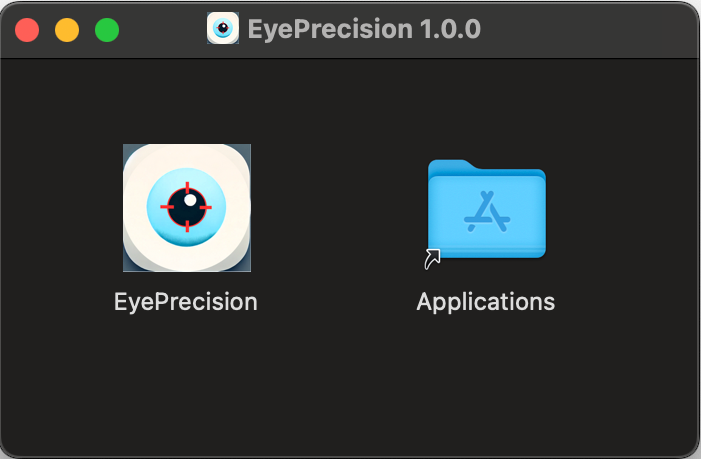
3. Drag the Eye Precision icon onto the Applications folder. This copies the app to your Mac
4. Eject the installer: close the window, then in Finder click the eject button next to the Eye Precision disk in the sidebar (or drag it to the Bin). Always open the app from Applications, not from the installer window, otherwise it can't save its settings properly
5. Open Eye Precision from Finder → Applications (it is called EyePrecision), from Launchpad, or with Spotlight (⌘ Cmd + Space, then type the name). To keep it handy, right-click its icon in the Dock while it's running and choose Options → Keep in Dock

6. Enter your license key from the email you received after your purchase. If you can't find it, contact support@eyeprecision.com
7. The Setup Assistant starts and asks how you record and where to save files. If you record with a camera on the Mac, allow camera access when macOS asks. See the First Use Guide
To update later, download the new .dmg and drag the app to Applications again, choosing Replace; your license and settings are kept. See Updating the App